Comment cleanup
The one Adminkeep tool that deletes anything. It removes spam and trashed comments by default, leaves WooCommerce data alone, and shows the count first.
Disable Comments hides comments; it never deletes them. The cleanup button below its switch is the single exception in the whole plugin — the one control that removes data. Because of that, it works differently from everything else.
What it deletes
- By default: only comments already marked as spam or already in the trash — junk you have rejected already.
- Tick the extra box and it will also delete approved and pending comments. That is never the default, and it always sits behind its own confirmation.
What it never touches
- Comments on trashed posts. They come back if you restore the post, so cleanup skips them entirely.
- WooCommerce order notes, webhook logs, and product reviews — excluded unless you explicitly opt in. At the database level these are comment rows; the cleanup knows the difference.
- Unrecognised comment types. If a plugin stored something as a comment that cleanup doesn’t recognise, it is left alone rather than guessed at.
The guards
- The exact number of comments about to be deleted is shown first.
- You confirm before anything runs.
- Deletion happens in batches, so a large site cannot time out halfway.
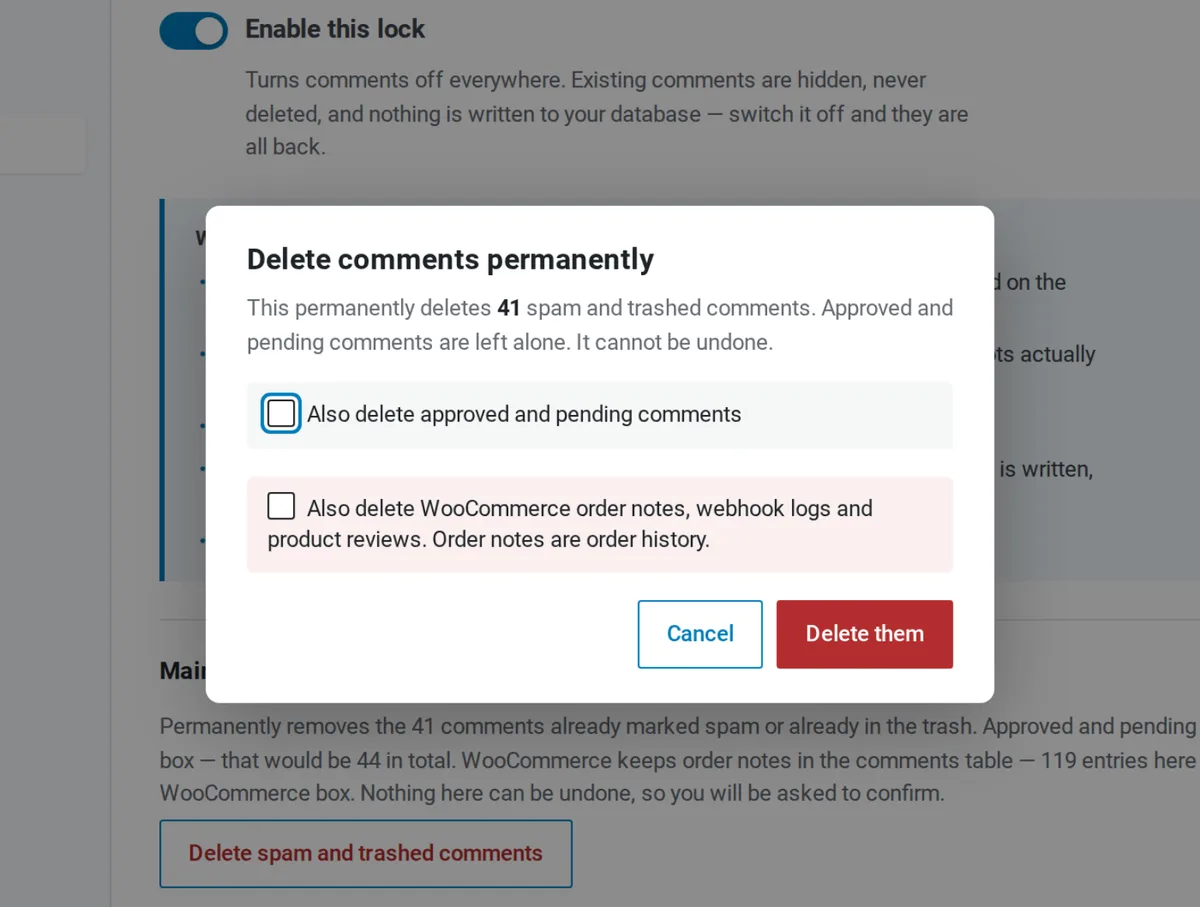
One honest warning: unlike every switch in the plugin, this cannot be undone. There is no trash for the trash. If you are unsure, export your comments first — or just leave the button alone; hiding comments needs none of this.